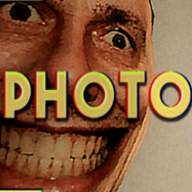
How many customers are in Photomaly?
No total is published. The studio serves a stream of customers across the shifts, drawn from a pool of requests, so two runs will not present the same people in the same order.

Photomaly customers guide: read every passport, USB and film roll request, spot the phrasings that fail an order, and why saying what you saw loses a sale.
Passport photos, keepsakes, planners — read quirks without digging too deep.
~12 min read
Sponsored
Every person who walks into the studio in Photomaly brings their own request, their own quirk and usually their own story. This Photomaly customers page treats them the way the job does: a request slip to fill first, a character second. Verified August 16, 2026.
A request is a photo job with a personality attached. The source decides your route through the building, and four values decide whether the order is accepted — none of which are affected by how odd the person asking happens to be.

| Source | Your route through the studio |
|---|---|
| Camera | You photograph the customer in the studio |
| USB | Customer hands over digital files to print |
| Film roll | Customer brings film that must be developed first |
Format (portrait or landscape), print size such as 2x3, 3x4 or 4x6, print count, and output — colour or black and white. Each is checked separately, so a beautifully composed portrait at the wrong size is a rejected order, and so is a perfect print run of five when the slip said nine.
Format is the one you cannot fix at the printer, because it is decided when the shot is taken. Read the whole line before you pick the camera up rather than after.
For a camera request the customer has to be standing on the marked spot, and you have to shoot in camera mode with the correct rotation — a green icon confirms the photo counts. A frame that is too zoomed in is worth retaking on the spot; it costs seconds now and a whole reprint later.
Once you know the shape of a request, the specific ones repeat often enough to be worth learning.
Customers are characters rather than statblocks, so this log tracks what each one asks for and the part of the request that is easy to get wrong. Requests are drawn from a pool across the shifts, so your run will not present them in this order.
| Request | Source | What they ask for | Watch out for |
|---|---|---|---|
| Passport photo | Camera | A proper photo for a passport application, portrait, multiple copies | Keep the framing tight but not zoomed in; count is usually more than one |
| ID renewal | Camera | Photos in the correct size for a renewed ID | The size is the entire job — read it before shooting |
| Missing person poster | Camera | A better photo than the one already printed on their poster | A high copy count; check Paper and Ink before you start |
| Album cover | Camera | A posed shot for a record sleeve, landscape | Landscape format cannot be fixed by reprinting |
| "Make me look handsome" | Camera | A flattering portrait — landscape, 3x4, three copies in one seen run | Three separate values on one slip |
| "My own photos look terrible" | Camera | One good picture taken properly, landscape | Editing is optional; the format is not |
| A colour photo at last | Camera | An older customer who has never had a colour photo of herself | Output is the point — do not print this one in black and white |
| Hospital wall portrait | Camera | A photo intended to hang on hospital walls, portrait 4x6, six copies | High count on a large size eats stock fast |
| "My friends say I do not show up" | Camera | Proof for schoolfriends that she appears in photographs, 4x6, two copies | Check the print before handing it over |
| A photo for a wife | Camera | A portrait to give to a wife if they are reunited someday | What develops beside him is not a printing error |
| Weekend USB | USB | Holiday shots on a drive, one print of each at 4x6 | One of each means one copy per photo, not one photo |
| House for sale | USB | Property photos printed for a sale | Straight print job — no darkroom trip |
| Pet photos | USB | A large print of each pet photo on the drive | Size applies to every file, so count the files first |
| Document prints | USB | Documents printed by someone who knew your father | The machine misbehaves during this one |
| New Year planner | Film roll | A set of planner photos that need developing | Darkroom job even though it sounds like a print job |
| Grandpa's keepsake box | Film roll | An old roll found in a keepsake box, printed as-is | Old rolls carry the strangest frames — print them anyway |
| The journalist | Film roll | News photos developed without anyone else seeing them | Handle it as normal darkroom work and keep quiet |
| "I could not see the photos inside" | Film roll | Something that looks like a drive but will not open on a PC | Not a computer job — it belongs in the darkroom |
| The fate customer | Camera | A photo she can immortalise, posed her own way | She does not pay in cash |
| The man with the blurry face | Special | Leaves a key and a film roll, returns to collect the prints | Story handover, not a paid order — see film developing |
Read the log column by column and the pattern is obvious: roughly half the requests are camera work where format and size decide everything, a third are drive jobs where the only real question is how many copies of how many files, and the rest are film that has to go through the chemicals before it exists as a photo. Sorting each arrival into one of those three buckets in the first sentence of dialogue is the single fastest habit on this page.

A handful of phrasings cost more prints than anything else in Photomaly, because they sound like one job and are another. This is the table to check when an order was rejected and you cannot see why.
| What they say | What it actually means |
|---|---|
| "One print of each" | One copy per photo on the drive — count the files, then print that many jobs |
| "A large print of each one" | Print size applies to every file, so stock drain scales with the file count |
| "I do not have any colour photos" | Output must be colour; black and white fails the request even if the shot is good |
| "Take a proper photo for my passport" | Portrait, professional framing, on the marked spot — and usually several copies |
| "Photos in the correct size" | The customer will not name the size twice; read the slip value, not the sentence |
| "Can you develop them?" | Darkroom job — cut, chemicals, drying rack, then print |
| "I could not see the photos inside" | It is not a working drive; treat it as film work |
| "I want a photo where I look handsome" | Ordinary camera order — the flattery is not an instruction |
The photo viewer lets you adjust a shot before printing, and it is genuinely fun to hand someone back something better than they expected. It is also the fastest way to burn shift time on an order that was already acceptable. Edit when the framing needs it or when the customer's whole request is "make me look good", and print straight otherwise.
Bad takes pile up in the photo list, and later in the run that same list is where your anomaly evidence lives. A tidy list is how you avoid printing the discarded frame by accident when a customer is waiting. Keep the good shot, delete the rest, and check orders guide if the print setup panel is still confusing.
Reading requests correctly is the easy half. The hard half is what you say back.
Matched by build plan, shared topics, and guide progression — not random related links.
Photomaly is explicit about this, from two directions at once. Your contact tells you not to mention them or the work to anyone. The customers themselves make the same point less politely the moment you comment on what turned up in their prints.
Nothing about a customer becomes useful until it is photographable. An odd request, an odd pose or an odd answer is worth nothing to your contact and nothing to the quota; a print with something in it that was never in the room is evidence. That is the whole design of the game's horror — you are rewarded for looking closely at the photograph and punished for saying it out loud at the counter.
So the practical answer to "how far" is: as far as the lens reaches, and no further than the counter conversation.
Plenty of customers are simply odd. A man wants a photo for a wife he may never see again, a woman needs proof she shows up on film at all, someone leaves without a word. None of that is an anomaly on its own. Serve them, print what they asked for, and let the developed frames tell you whether there was actually something there.
Meanwhile the clock has not stopped, which is its own problem.
Customers arrive on their own schedule, which is reliably the worst one available: while you are elbow-deep in the darkroom, while a print job is running, or while you are walking the back alley for a delivery. You can ask for a moment, but a customer left long enough is lost business — and the supplies you spent on their half-finished order do not come back.

| Situation | What to do |
|---|---|
| A customer arrives while prints are on the drying rack | Take the new order at the counter; the rack works without you |
| Two customers waiting at once | Serve the shorter job first — a USB print beats a full film roll |
| A film customer is told it will take a while | Start cutting immediately so the chemicals and rack run in parallel |
| You are out of envelopes mid-handover | Order from the store app, then collect from the back alley pallet |
| A camera feed changes while somebody is at the counter | Finish the handover first, then go and photograph it |
| Somebody walks in as you are closing for the night | Expect the day to have one more beat in it than you planned |
New anomalies tend to appear around customer activity — an arrival at the counter, or that customer stepping into the photo room to be photographed. That makes every greeting a free cue to sweep the security camera feeds afterwards, which is far more efficient than checking on a whim. The full sweep routine lives on the anomalies page.
The last surprise is what lands in your hand at the end of an order.
Most handovers end the ordinary way: envelope out, cash in. A few do not, and none of them are bugs. Recognising them stops you standing at the counter waiting for a payment that is never coming.
| What happens | What it means for you |
|---|---|
| A tarot card instead of cash | The fate customer settles up her own way — take it and move on |
| A customer deletes his photo off your computer | Your photo list is not entirely yours; do not re-print it |
| A customer walks out after you commented on their print | That payment is gone — the lesson is the silence, not the sale |
| The power cuts out mid-order | Reset it at the fuse box, apologise, finish the job |
| A USB job takes the whole machine down | Story beat attached to a specific customer, not a hardware fault |
| A film roll handed over by your contact | No payment at all — it buys progress instead, see endings |
The studio only breaks when you stop doing the job. Whatever the person in front of you turns out to be, the sequence is unchanged: read the request, fill it exactly, put it in an envelope, hand it over. Keep that intact and the strangest shift is still a profitable one — which is what funds the upgrades that make the remaining shifts easier.
No total is published. The studio serves a stream of customers across the shifts, drawn from a pool of requests, so two runs will not present the same people in the same order.
They are characterised by their request rather than by a nameplate, which is why the log on this page is organised by what each one asks for.
The loop is built around serving the request in front of you, and every payment funds your supplies. Start with the beginner guide if the counter workflow is still new.
One copy of every photo on the drive. Count the files first, then run that many print jobs at the size requested — it is not a single print.
Usually because you said something about what appeared in their photo, or because they waited too long. Both end the transaction; the supplies you already used are not refunded.
No. Log it, hand the order over, and report anything abnormal from the shop computer instead. Talking about it costs you the sale and nothing else.
Not by themselves. Something only becomes reportable when you can photograph it — the rules are on anomalies.
Endings track story progression and your report record rather than individual conversations — see endings.
August 16, 2026
Matched by build plan, shared topics, and guide progression — not random related links.